
![You are currently viewing GHOST Eye Startup Guide [~30 Min]](https://blog.ghostchain.io/wp-content/uploads/2024/12/GHOST-Eye-Startup-Guide-2.png)
Introduction
GHOST Eye is the terminal based UI for GHOST Chain. It offers the ability to interact with GHOST Chain in a user friendly way. Think of it as MetaMask for Ethereum. GHOST Eye is a work in progress and additional updates will be coming over a period of time.
Install GHOST Eye
Open terminal window.
Go to main ghost directory:
cd ghostClone ghost-eye:
git clone https://git.ghostchain.io/ghostchain/ghost-eye.gitGo to ghost-eye directory:
cd ghost-eyeInstall necessary packages:
sudo apt install pkg-configUpdate Rust:
rustup updateCompile ghost-eye:
source update.shRun GHOST Eye
Launch ghost-eye from any folder:
geOlder ghost-eye versions can be launched by navigating to ghost-eye directory:
cd ghost/ghost-eyeAnd running ghost-eye launch command:
./target/release/ghost-eyeTo exit ghost-eye press CTRL + C or Q keys.
Navigate GHOST Eye
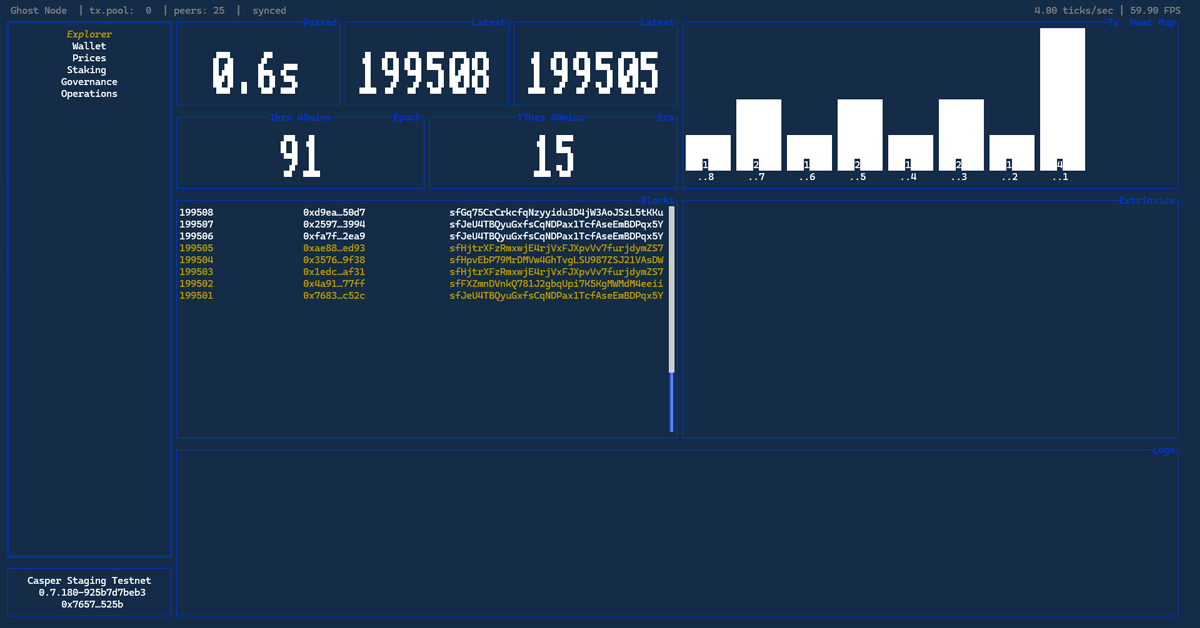
General Navigation
Navigate menu use ↑ + ↓ + Enter keys to navigate GHOST Eye.
Use Esc key to exit any panel and go back to main menu.
← + → or H + L
Explorer Tab
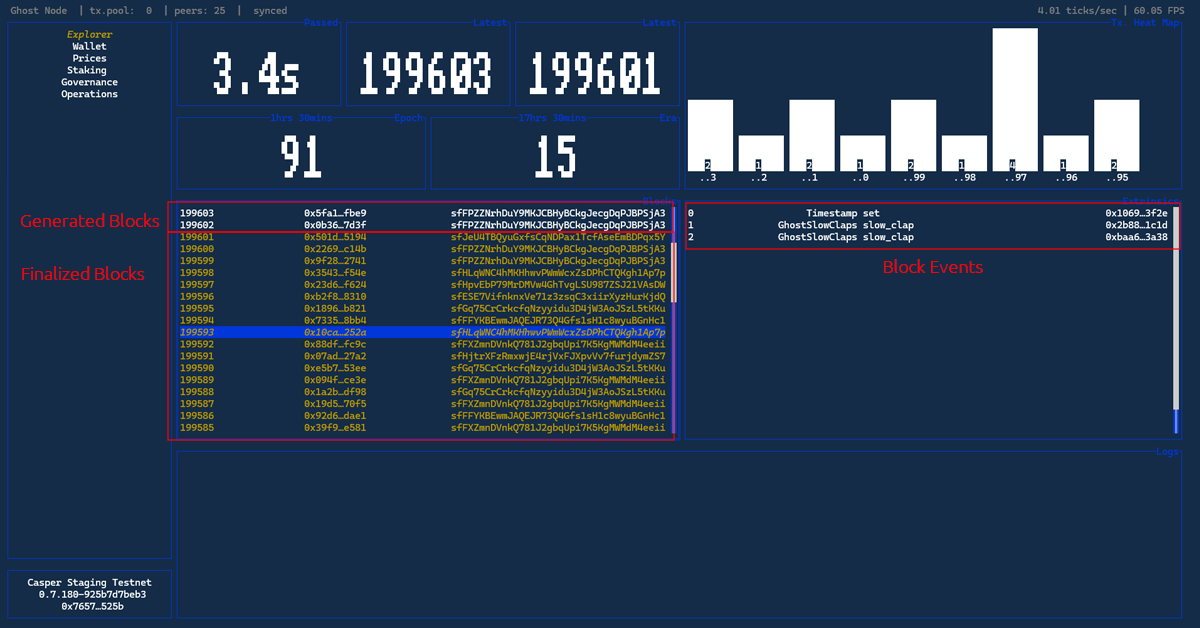
In the explorer you are able to see the block production and finalization in real time, block production timer, and block events.
Wallet Tab
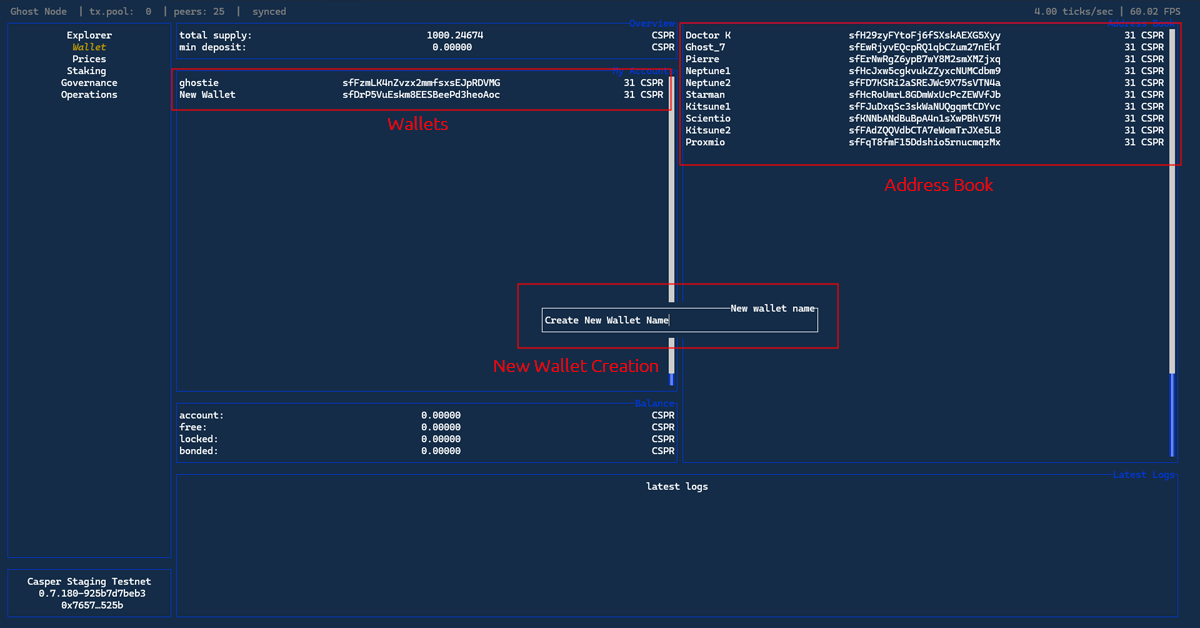
My Accounts
Press Shift + W to create new wallet.
Press Shift + L to generate stash wallet.
Press Shift + P to turn any wallet in My Accounts Panel into a contact in address book.
Press Shift + R to rename a wallet.
Press Shift + B and type amount of $CSPR you to bond.
Address Book Panel
Shift + A to create new contact in address book.
Shift + D to delete contact from address book.
G key to top of address book.
Shift + G keys bottom of address book.
Shift + K / Shift + J keys changes the places of addresses.
Shift + I key to check contact details.
Shift + R to rename a contact.
Nominator Popup
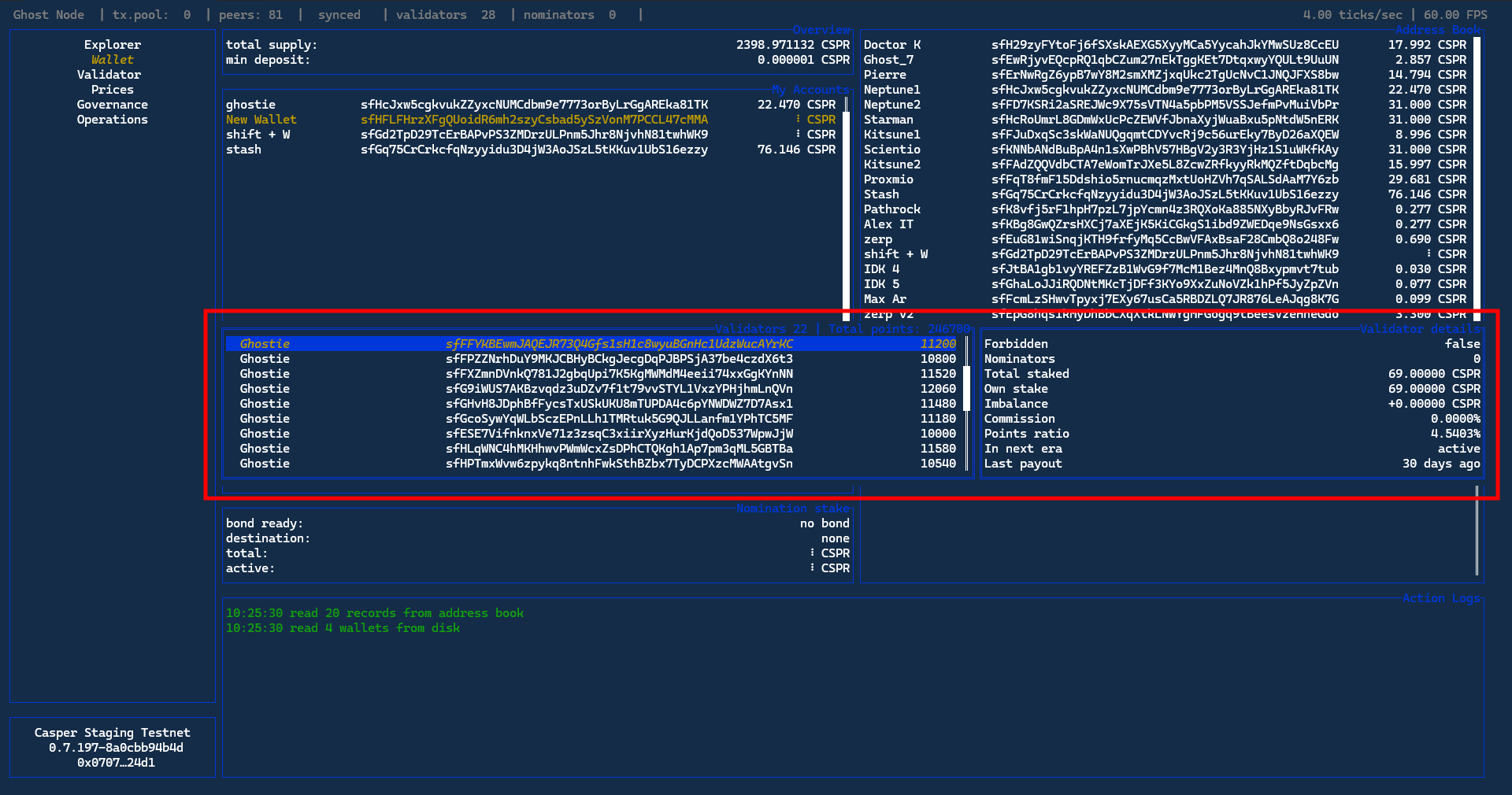
The Nominator popup contains Validator points panel. The popup shows the staking points each validator has earned during the current Era.
Press Shift + N to open Nominator panel.
Press Shift + R to rename individual Validators.
Sending $CSPR
To send $CSPR navigate to the Wallet Tab. Enter the tab by pressing Enter. Press Shift + T. Fill out Receiver and Amount to send fields in the form and $CSPR will be sent to the Receiver address.
You can also navigate the Address Book panel, use ↑ + ↓ keys to pick the address, press Enter and the receiver address will be prefilled.
Reward Destination Popup
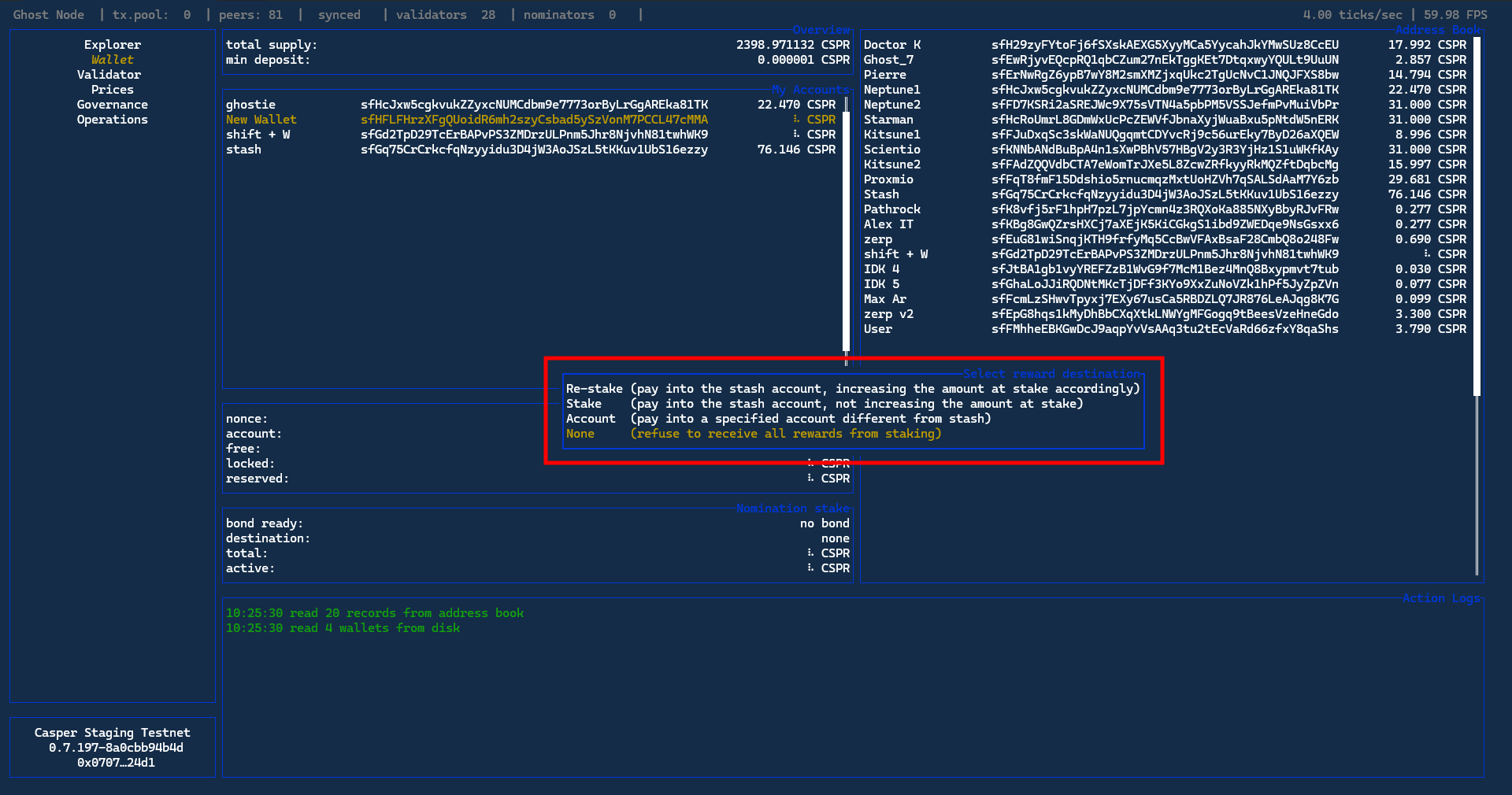
Press Shift + O and choose the staking rewards destination.
Back to Main Menu
Use Esc key to exit any panel into the main menu.
Validator Tab
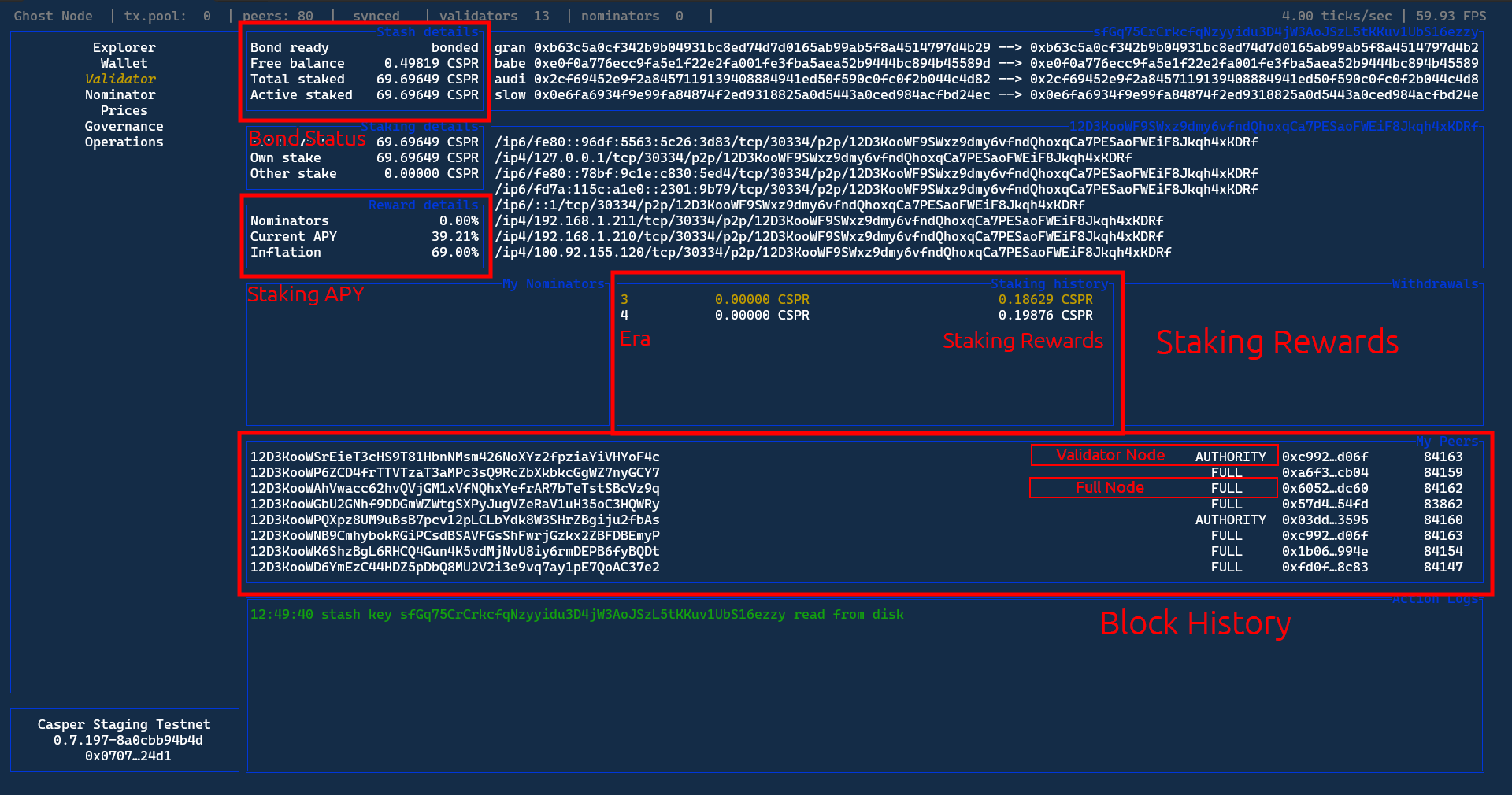
Slash details panel contains details about bonding of your funds. Reward details panel contains Current APY and Inflation rates. Staking history panel contains accumulated Staking Rewards per Era. My peers panel shows block/transaction history broken down per Full Node Operator and Validator.
Bonding
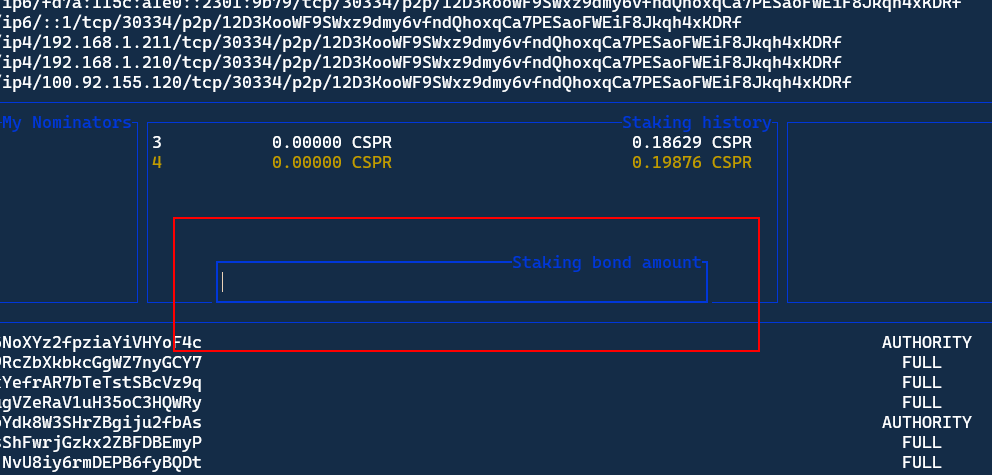
To bond $CSPR enter the Validator Tab by pressing Enter then press Shift + B and type amount of $CSPR you want to bond.
Unbonding
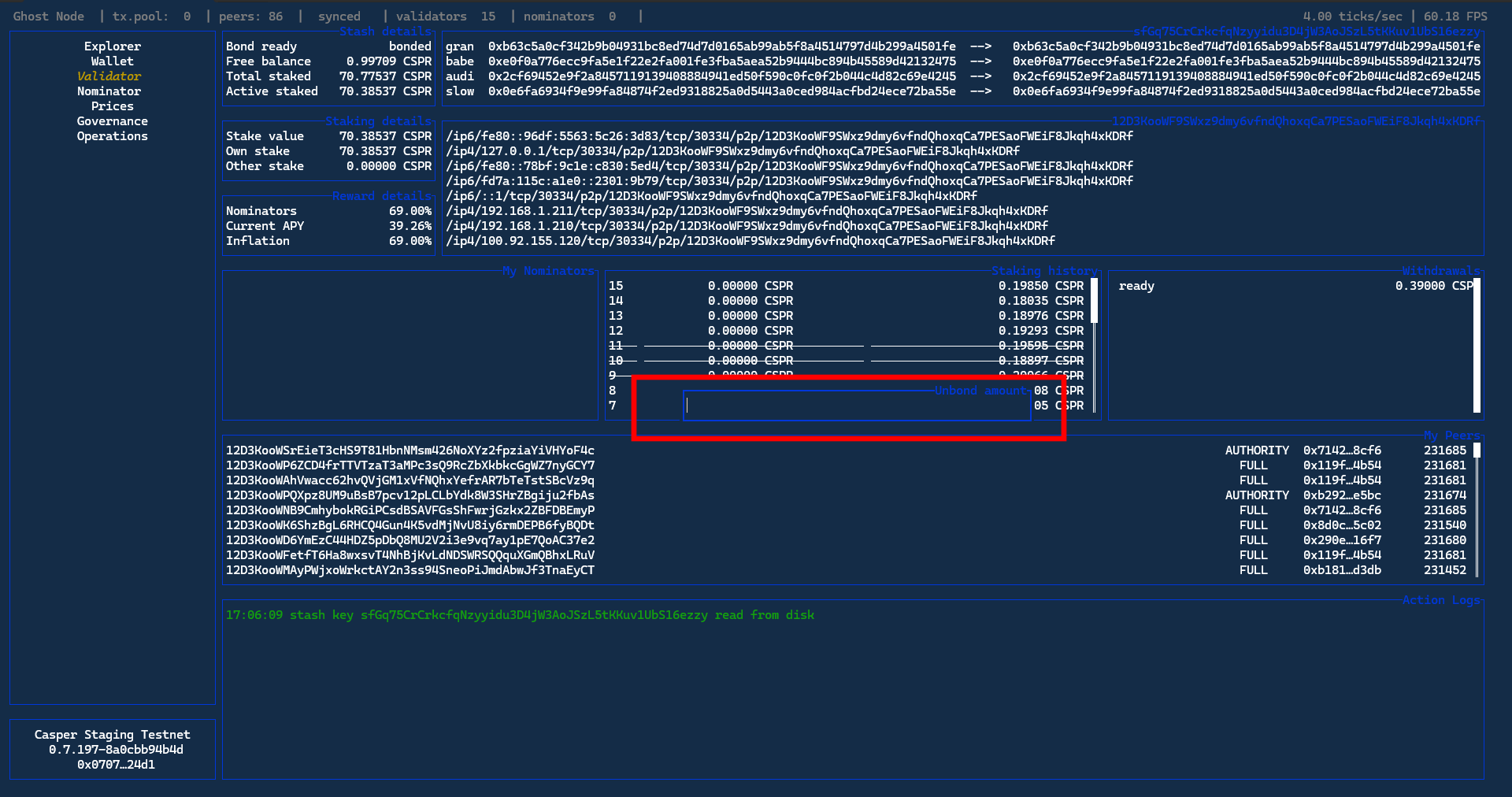
To remove part of a bond (or remove full) use Shift + U, set Unbond Amount, and press Enter to confirm. The result will be shown in Withdrawals panel. For the bond to actually be withdrawn bonding period should pass which coincides with an end of Era (24 hours day for now)
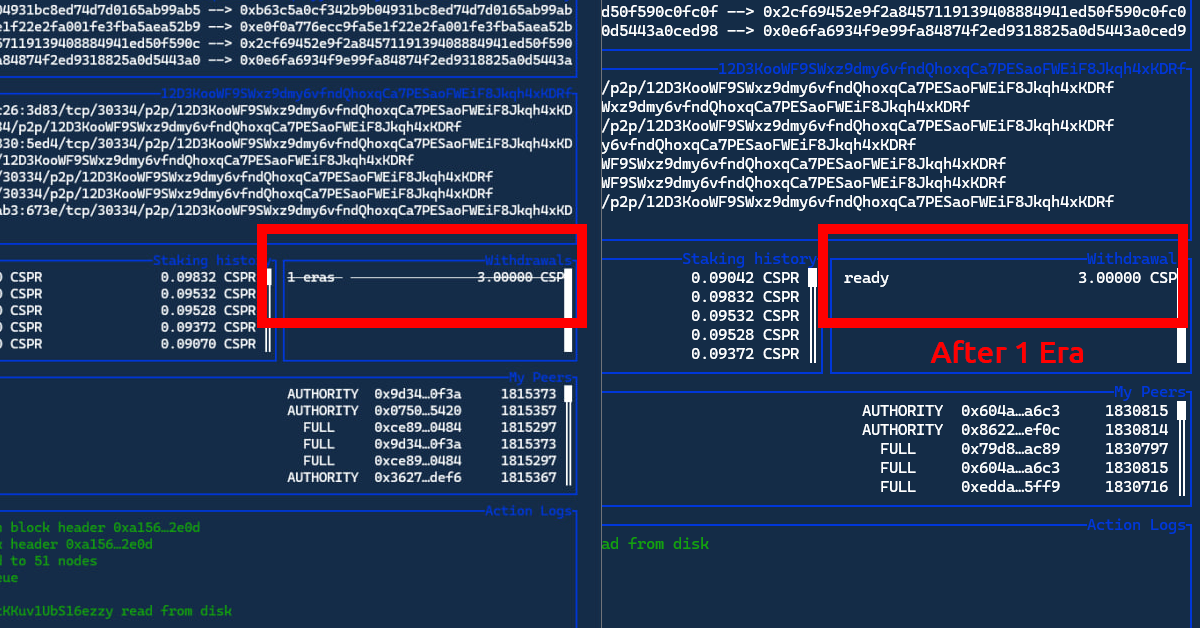
After 1 era the Withdrawals Amount should no longer be crossed out. To claim Unbonded Amount press Shift + W and then press Enter to confirm.
Reverse Unbond Amount
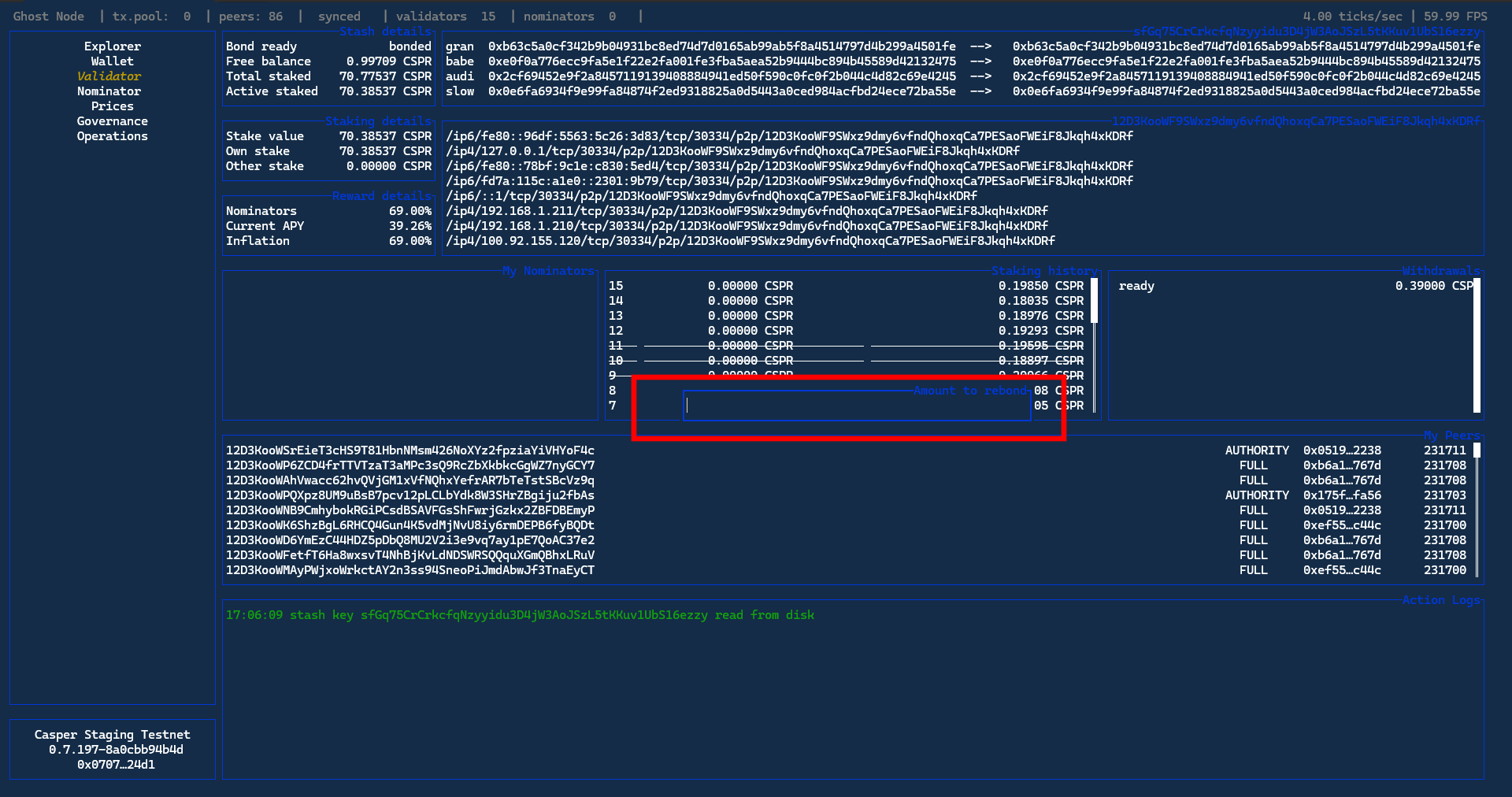
While the unbonded amount is still pending Validators are able to reverse the unbonding. Press Shift + E, set Amount to Rebond, and press Enter to confirm. Withdrawals tab update. Withdrawal for current Era will decrease.
Staking Rewards Payout
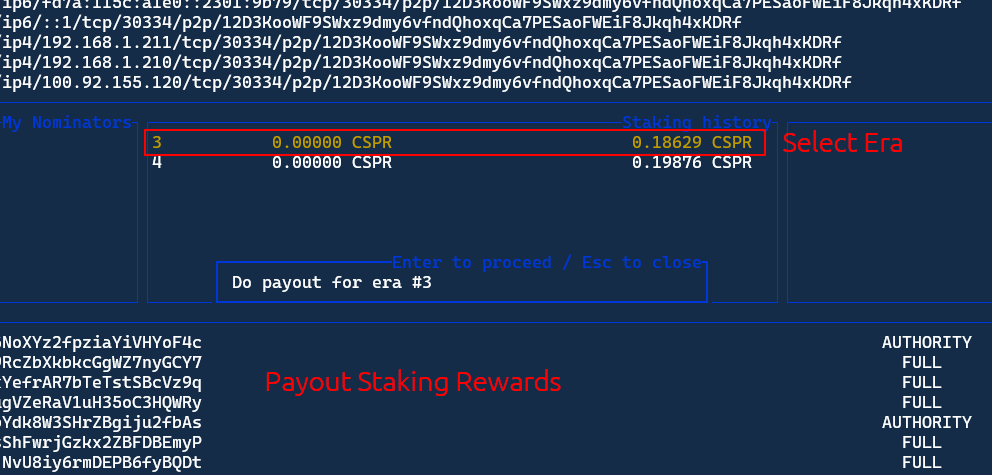
To withdraw earned staking rewards enter the Validator Tab by pressing Enter. Navigate to the Staking History panel using ← + → keys. Select the era and rewards using ↑ + ↓ keys. Press Enter to open the payout prompt. Press Enter again to confirm the payout.
Funding Stash
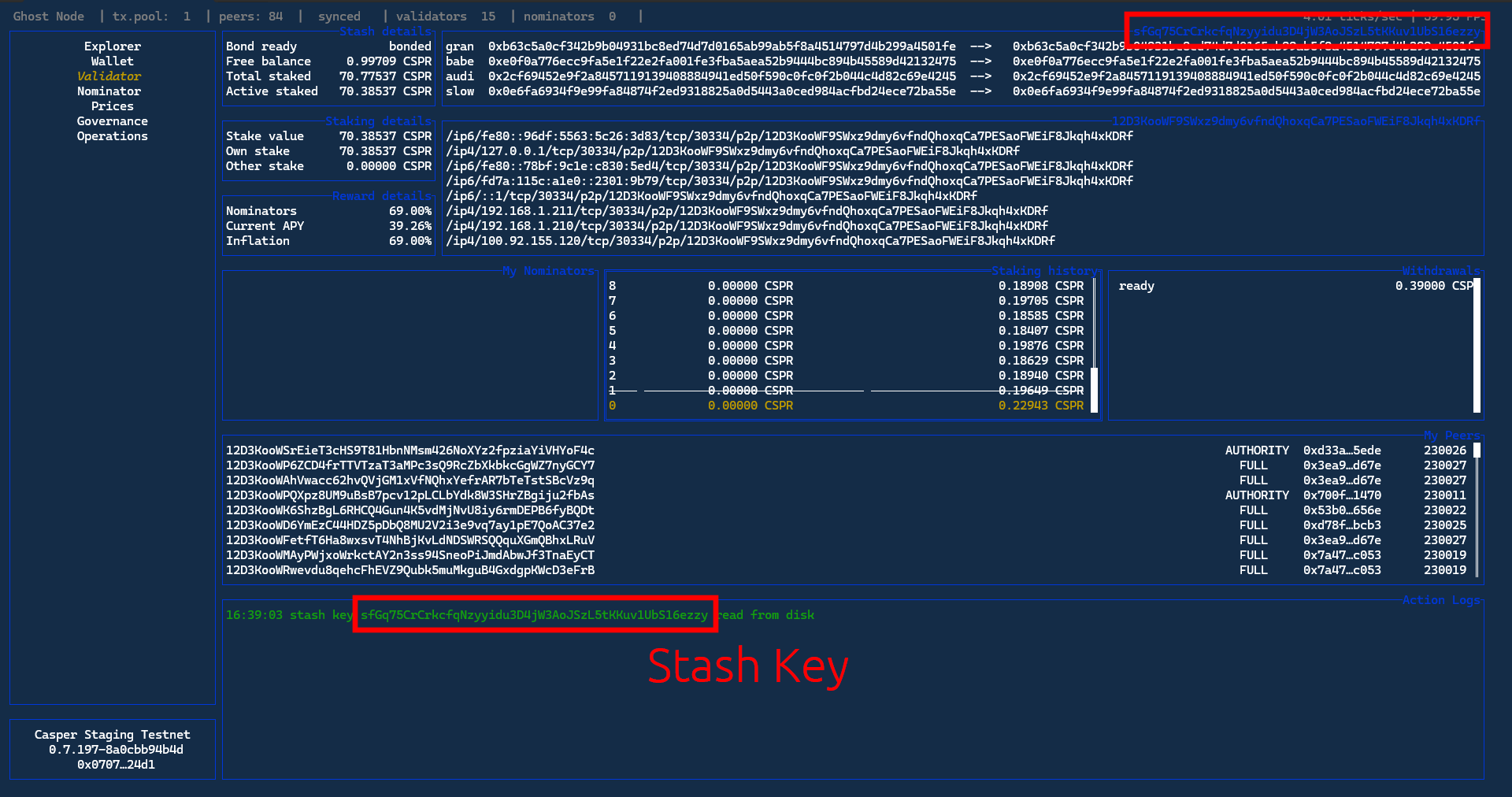
Fund your stash with at least 8 $CSPR. You can request $CSRP from community faucet here. Funding Validator stash is similar to funding any GHOST wallet. Stash wallet address can be found on Validator tab. It is highly advisable to add Stash Key as one of the contacts in the address panel. Refer to adding new contacts here.
Set Commission
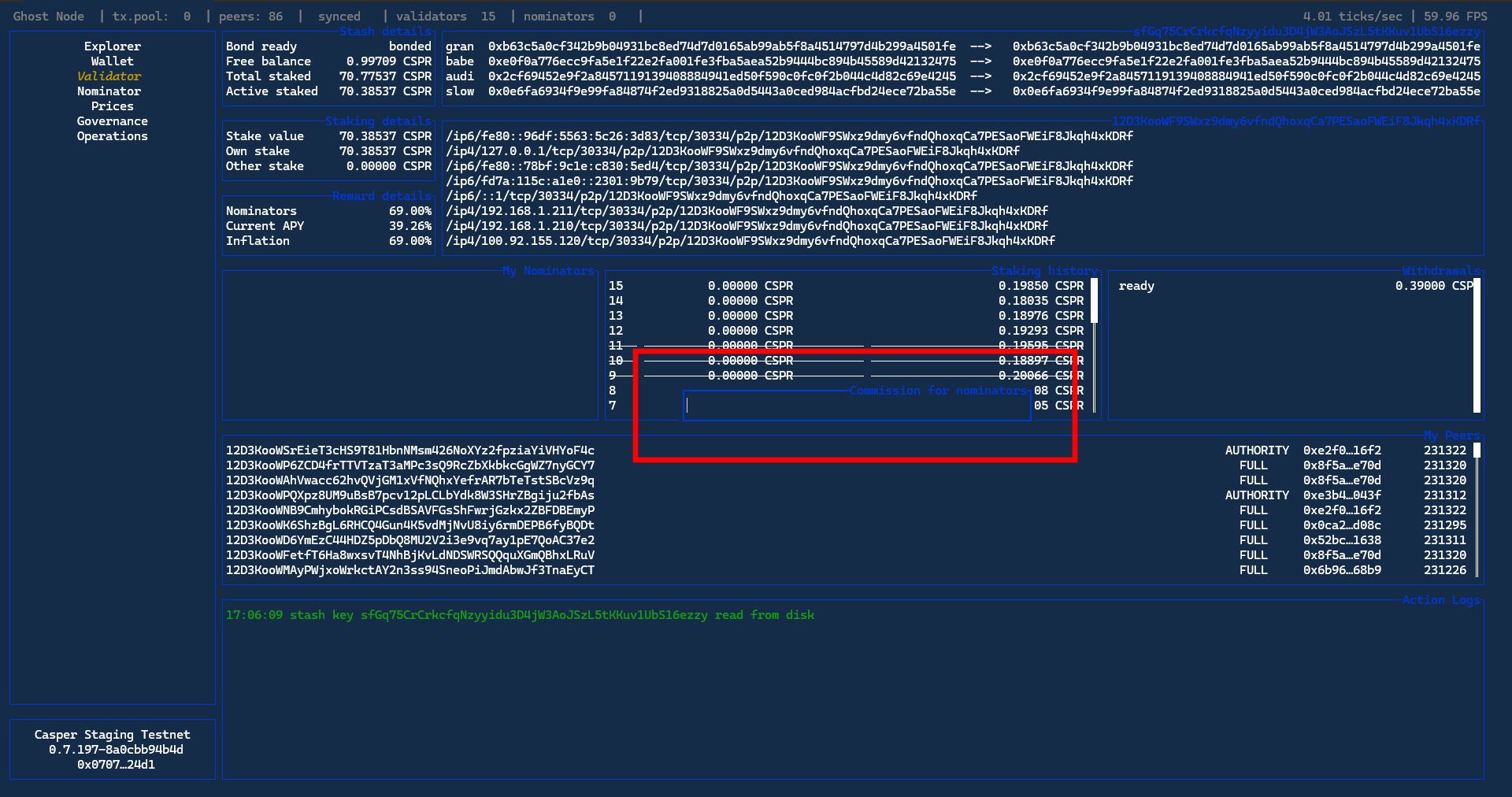
To set commission Validator will earn from nominators press Shift + V, set Commission for Nominators, and press Enter to confirm.
Chill
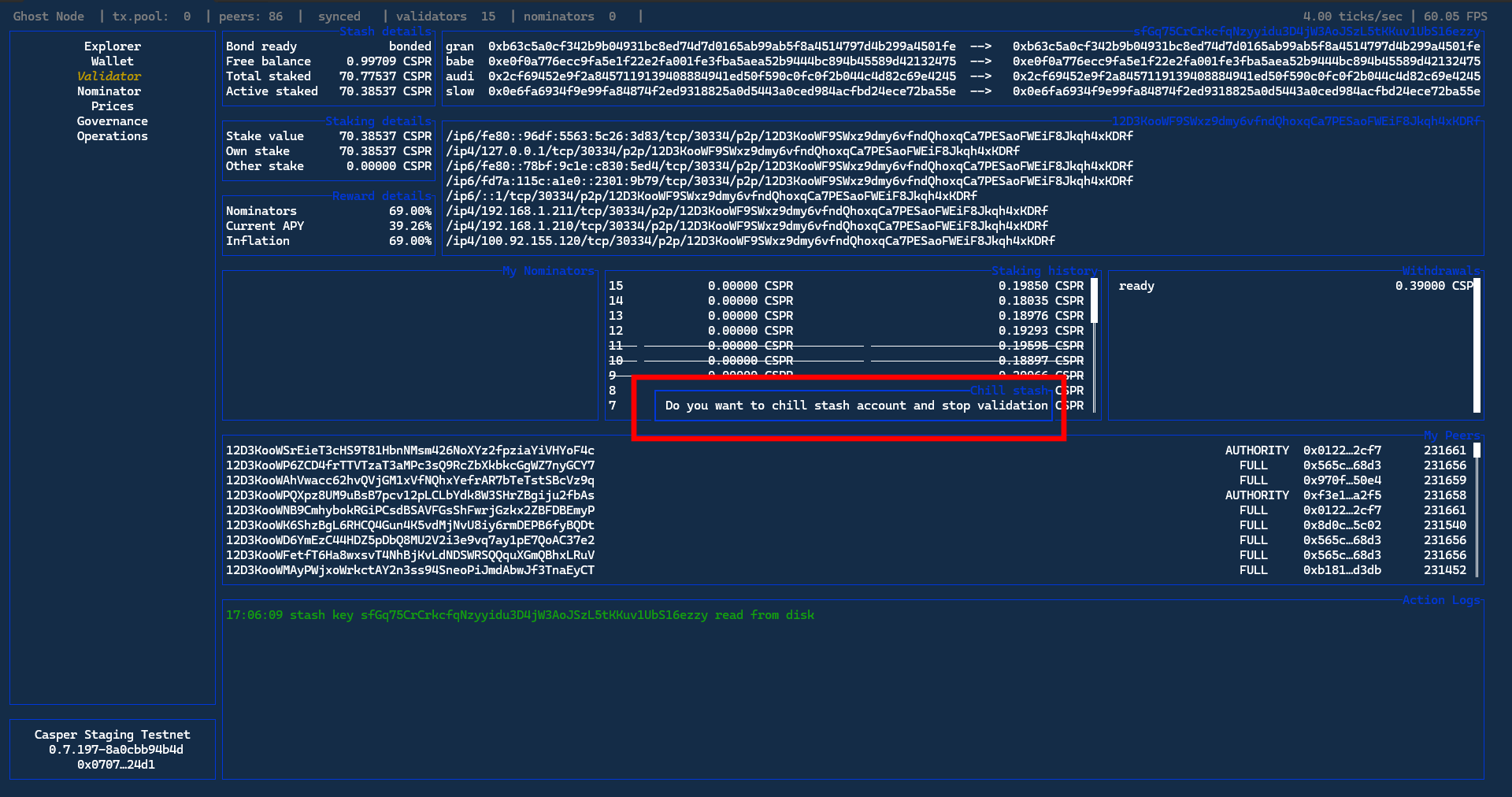
Chill is a method for current Validator to stop validating from current stash while avoiding slashing. Chill status will be applied only in next era. To chill press Shift + C, popup Chill stash will appear, and press Enter to confirm.
Chilling Explained
To stop validating without penalty, you must first “Chill” your Validator Node. You cannot turn the node off immediately; it must remain running as a validator until the current Era concludes. If you turn the node off or fail to Chill it before the Era ends, you will be penalized (slashed) for unexpectedly leaving the network. Once the Era passes after Chilling, your Validator Node (green dot) will automatically convert to a Full Node (yellow dot), and you can safely shut it down without any slashing risk.
Rotate Keys
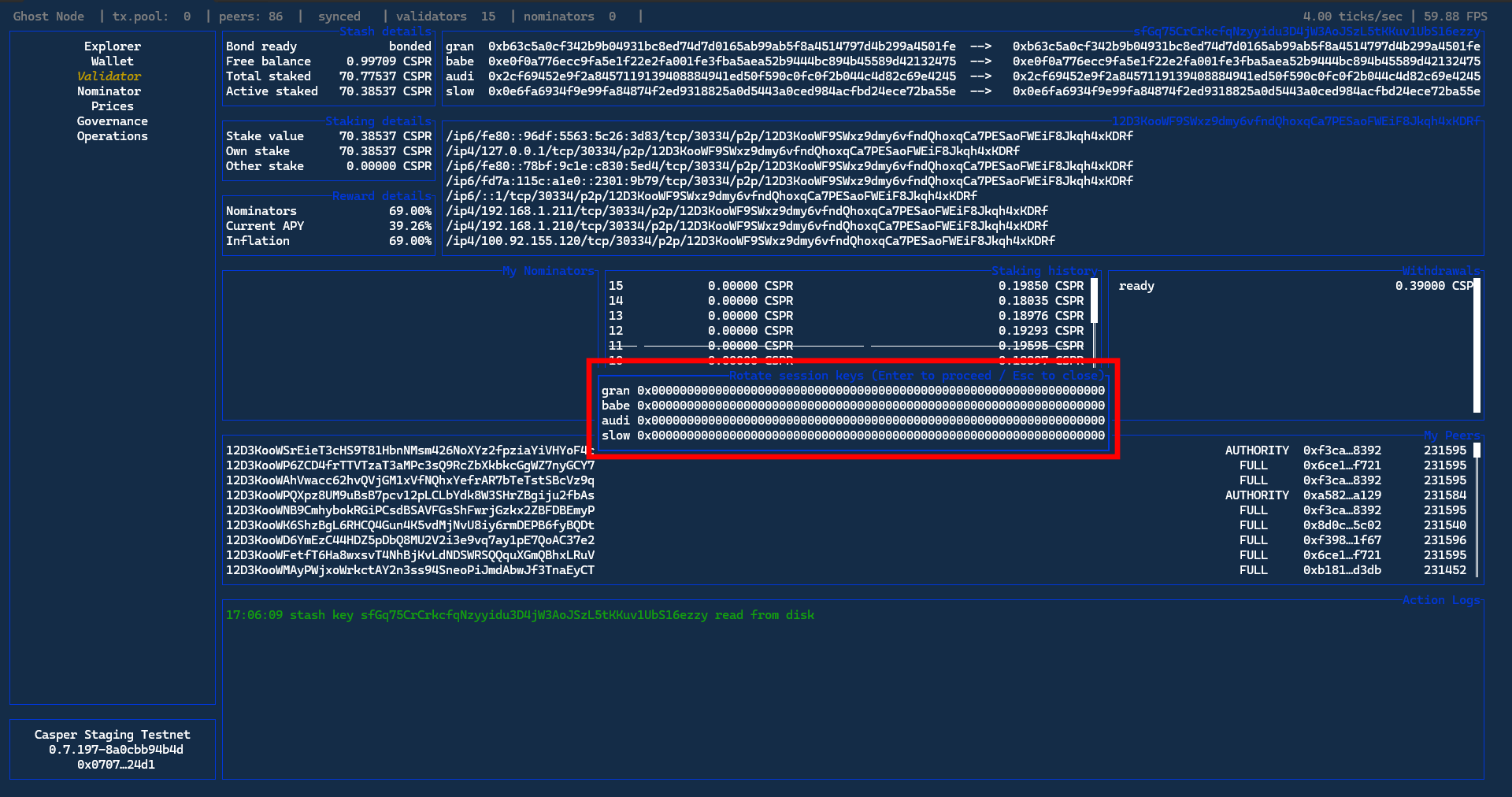
To create new gran, babe, audi, slow keys press Shift + R, Rotate Session Keys popup will open, and press Enter to confirm.
Only do this if you never created keys before. Existing Validators should only do this after consulting with GHOST Whales.
Add Custom RPC Endpoint
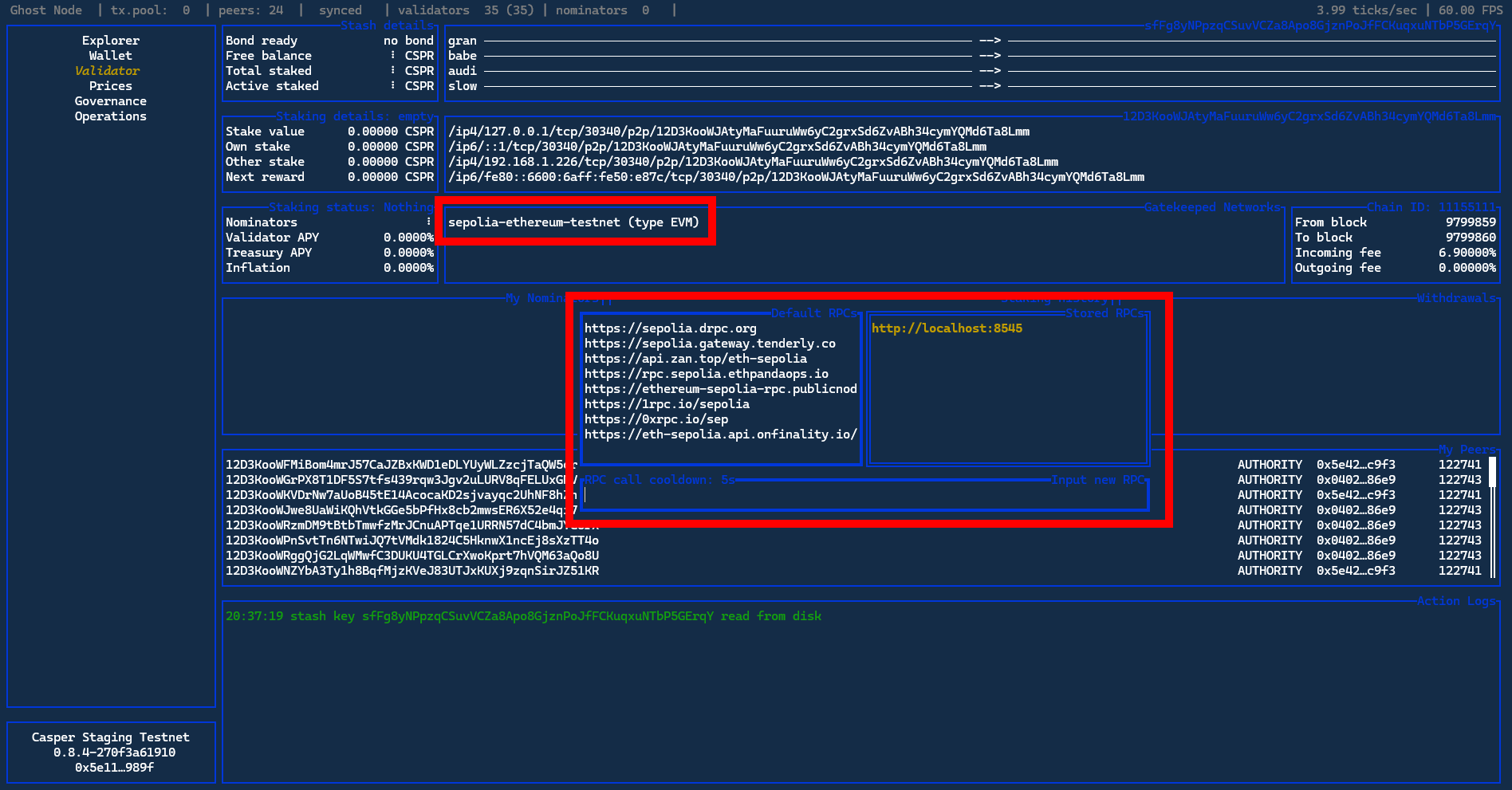
GHOST Eye comes with default list of RPC endpoints, but they are not 100% dependable. Adding a custom RPC endpoint improves the stability of EVM side of GHOST Chain. To add a custom RPC endpoint enter Validator Tab by pressing Enter key, navigate to Gatekeeper Networks panel, select the network to which you’d like to add a custom RCP endpoint using use ↑ + ↓ keys, make sure the chain becomes yellow, and press Enter key. Type in the address of the RPC endpoint you want to add in the Input new RPC input field and press Enter key.
The custom RPC will take precedent over the default list of RPC endpoint included with GHOST Eye. To delete the custom RPC endpoint navigate to the custom RPC endpoint you want to delete and press Shift + D.
Bump EVM Blocks
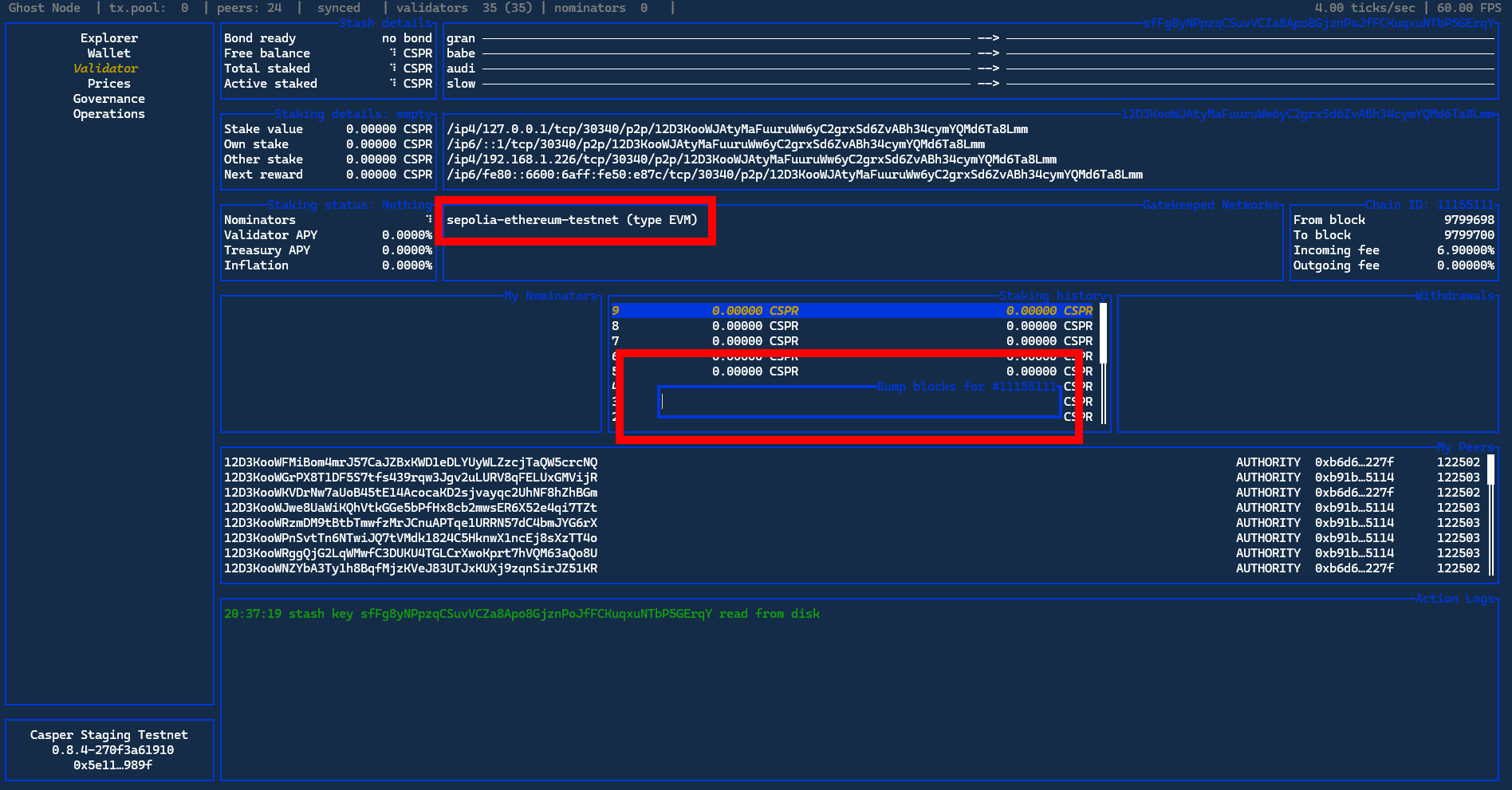
Bumping EVM blocks enables the node to skip unnecessary block syncing in order to save time and computational power. To bump EVM blocks enter Validator Tab by pressing Enter key, navigate to the Gatekeeper Networks panel, use ↑ + ↓ keys to select the network for which you want to bump the blocks, and make sure the network becomes yellow. Then press Shift + O and type amount of the block height you want to bump your node to. Make sure to bump to the block height that is higher than the current EVM block.
Update GHOST Eye
Go to ghost-eye directory:
cd ghost/ghost-eyeUpdate ghost-eye:
source update.shDone!
If the command above gives an error then pull the most recent ghost-eye version from GHOST Git, otherwise skip:
git pull origin mainRecompile ghost-eye:
cargo build --releaseBackup/Restore

It is highly encouraged to backup your node keys in order to prevent potential loss of funds. There are 3 types of keys:
- GHOST Eye Keys/wallet keys
- Validator Secret Key
- Node Session Key
Backup
Create a temporary backup folder that will disappear on node restart:
mkdir /tmp/backupBackup GHOST Eye Keys
cp -r ~/.local/share/ghost-eye /tmp/backupBackup Validator Secret Key
cp -r /etc/ghost/stash-key /tmp/backupBackup Node Session Key
sudo cp -r /var/lib/ghost/chains/casper_staging_testnet/keystore /tmp/backupCreate Backup
Go to /tmp directory:
cd /tmpCreate backup.zip
zip -r backup.zip backupOnce you have the backup.zip. Put it on a flash drive or transfer to another computer.
Restore
In case an old /tmp/backup folder still exists, remove it:
sudo rm -r /tmp/backupUnzip backup.zip:
unzip /tmp/backup.zipRestore GHOST Eye Keys
cp -r /tmp/backup/ghost-eye ~/.local/share/ghost-eyeRestore Validator Secret Key
cp -r /tmp/backup/stash-key /etc/ghost/stash-keyRestore Node Session Key
sudo cp -r /tmp/backup/keystore /var/lib/ghost/chains/casper_staging_testnet/Miscellaneous
Check GHOST Eye Version
To check the version of ghost-eye you are running:
ge --versionKnown Bugs
Chill Validator Node Error

A known issue, stemming from a Rust dependency, can cause the GHOST-Eye interface to crash network-wide when any validator node on the network is chilled.
If you experience this: Please be assured this is an external bug and not a problem with your node or setup. The only required action is to simply restart your GHOST-Eye application. Service will resume immediately.
Changelog
All the commit changelogs for GHOST Eye can be found here.